Applicant sources provide valuable insight into where your candidates are applying from. This can help you determine things like which sources provide the most qualified candidates and which sources make up the majority of your applicant traffic. There are a few areas within your Hireology account where you will be able to see applicant sources.
In this article we will cover:
Viewing Applicant Source Within a Job
You can view applicant sources from within a job. To do this, click 'Jobs' in the left navigation of your Hireology account, then click the job title and the "applied" tab.
View the source the candidate applied from on the right hand side. Note: Applicant sources will not be displayed in this manner under the 'In Progress' tab. Instead, you can find the source in the candidate's report card.
Viewing Applicant Source in the Candidate Drawer
You can also view applicant sources in a person's report card. To do this, click on either a candidate's name. Select "Activity & Comments" and scroll to the bottom to view the source they applied from.
Sourcing Performance
Toggle to the "Sourcing Performance" tab to view and filter your applicant pipelines.
Review the quantity and quality of applicants by source, identify which applicant sources are converting to hires, applicant to candidate conversion rates, and Hire source by job role.
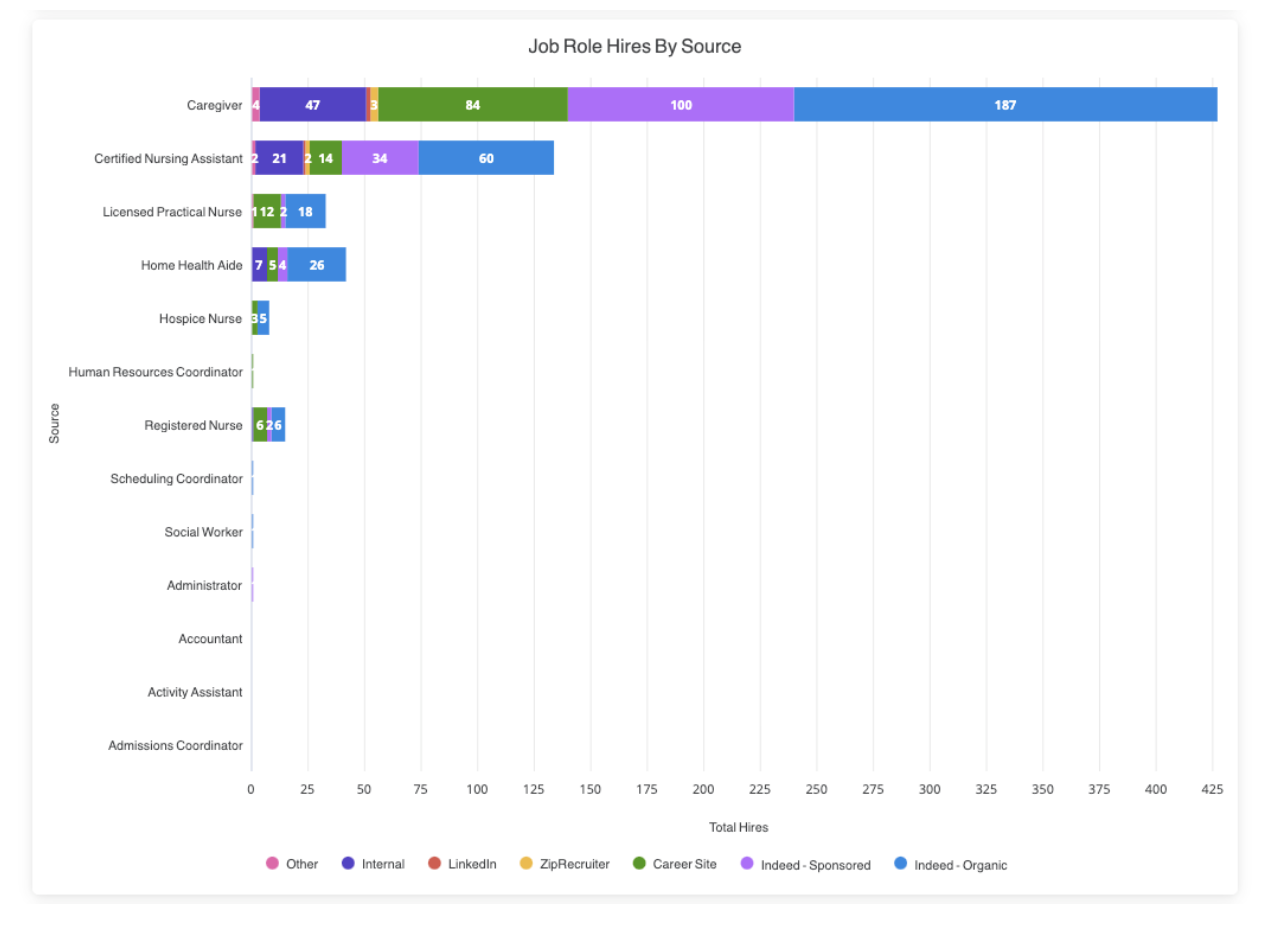
Additionally, track success metrics related to referral campaigns and data around sponsored roles, if applicable.
Click into any of your data tiles to drill down into granular data points.
Comments
0 comments
Please sign in to leave a comment.